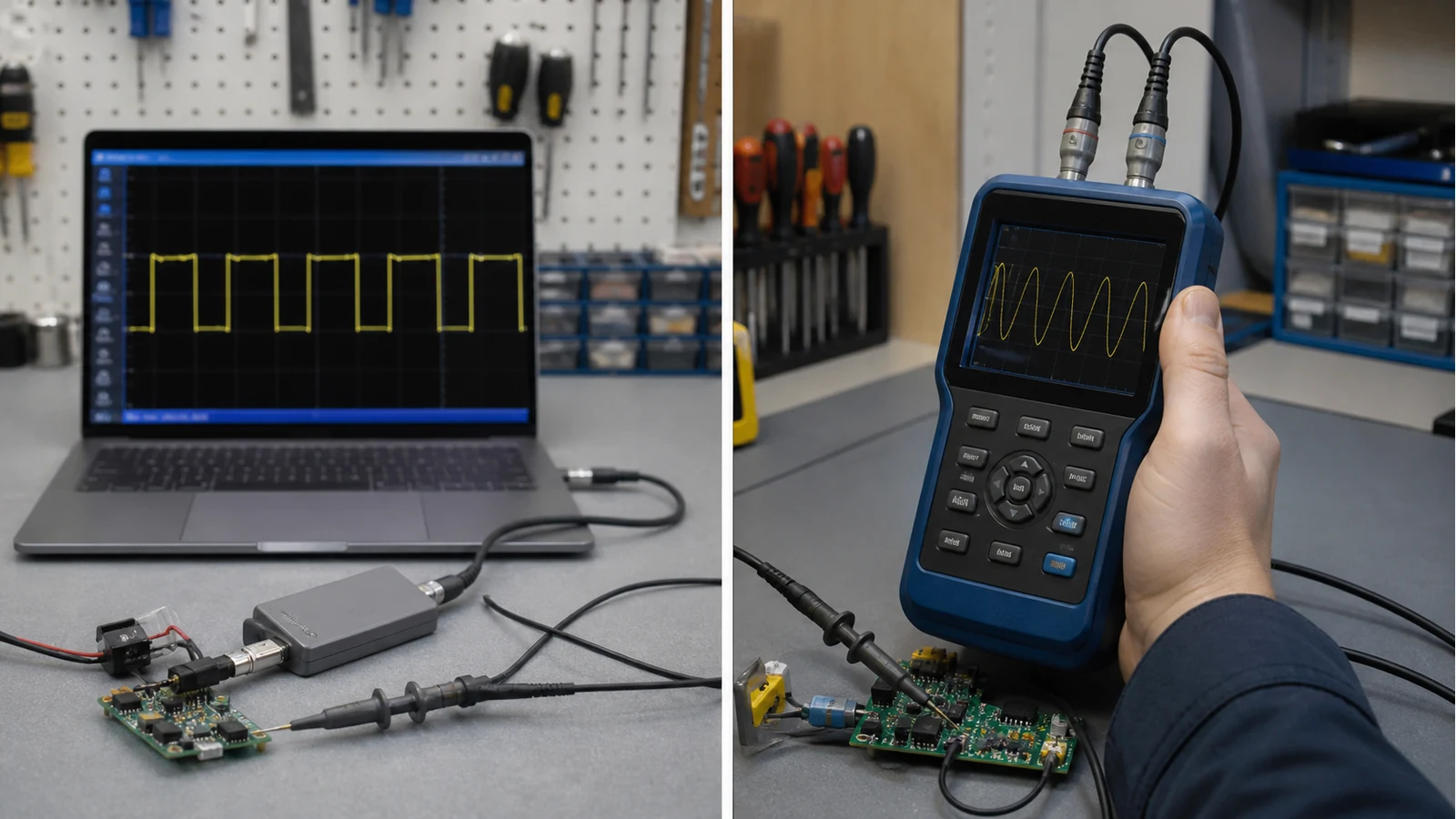
Usb Oscilloscope Vs Handheld Uk
Direct answer: choose a USB oscilloscope when your laptop workflow, software analysis and saved captures matter most. Choose a handheld oscilloscope when you need a battery-powered screen in your hand, fewer setup steps and a tool that can move between a bench, a vehicle and a classroom without a computer.
The real difference is workflow
A USB scope and a handheld scope can both be portable, but they remove different friction. USB scopes shift display and analysis to a PC, which can be excellent for long sessions, screenshots and deeper software controls. Handheld scopes keep the display, controls and battery in one unit, which is useful when there is no desk or you are standing beside a car, appliance or crowded student bench.
| Decision point | USB scope | Handheld scope |
|---|---|---|
| Setup | Needs computer, cable and software ready | Switch on, connect probe, capture |
| Display | Large laptop screen | Built-in screen |
| Data handling | Usually stronger for saving and reviewing traces | Better for quick live checks |
| Field use | Awkward without a stable computer position | Better when space is tight |
| Learning curve | Software can help or distract | Physical controls make basics visible |
Pick by user, not by spec sheet alone
Students: a USB scope is attractive if coursework expects saved captures and you already work from a laptop. A handheld is attractive if the goal is personal practice and fast access outside a lab. See the student first-scope guide for budget-specific checks.
Makers: USB can be strong on a permanent desk. Handheld wins when projects move between the kitchen table, garage and club night. For Arduino work, the deciding issue is usually whether you need visual capture or protocol decode; the Arduino oscilloscope guide covers that boundary.
Automotive techs: a handheld is easier inside a vehicle, but advanced diagnosis may need multiple channels and automotive software. Do not assume a simple handheld replaces a full automotive kit.
Who should not choose handheld-only
Do not choose handheld-only if you need long data logging, detailed PC reports, protocol decoding, multi-channel timing or repeated documentation for clients. In those cases, a USB or bench setup may better match the job.
Who should not choose USB-only
Do not choose USB-only if your main problem is the laptop itself: no flat surface, slow setup, awkward vehicle access, or a shared workshop where software installs are painful. The best tool is the one you will actually connect before the fault disappears.
Conditional next step
If your priority is a standalone portable display for quick checks and field work, Probeo has a verified same-site detail route here: handheld oscilloscope detail page. If your priority is PC analysis, compare USB models instead of forcing the handheld format.
Sources
- SigMasa UK: UK guide contrasts USB/PC scopes with handheld field use and benchtop footprint.
- Pico Technology: USB scopes trade built-in screens for PC analysis, portability and software updates.
- HardwareBee: Defines handheld as battery standalone with integrated screen vs USB devices that require a host PC.
- Digilent: Compares benchtop, handheld and PC-based form factors for students and hobbyists.